

OnTheSSH

OnTheSSH is a software tool that uses the SSH protocol to access and control remote Linux hosts.

[切换到中文网站]

Very cutting-edge and rigorous technology stack

Program using a combination of Qt and Rust.
Qt/C++ offers a cross-platform, high-performance graphical client
Rust offers a kernel that stability, security, and ultimate performance
Use the high-performance, user-friendly, and open-source hybrid programming middleware QRust

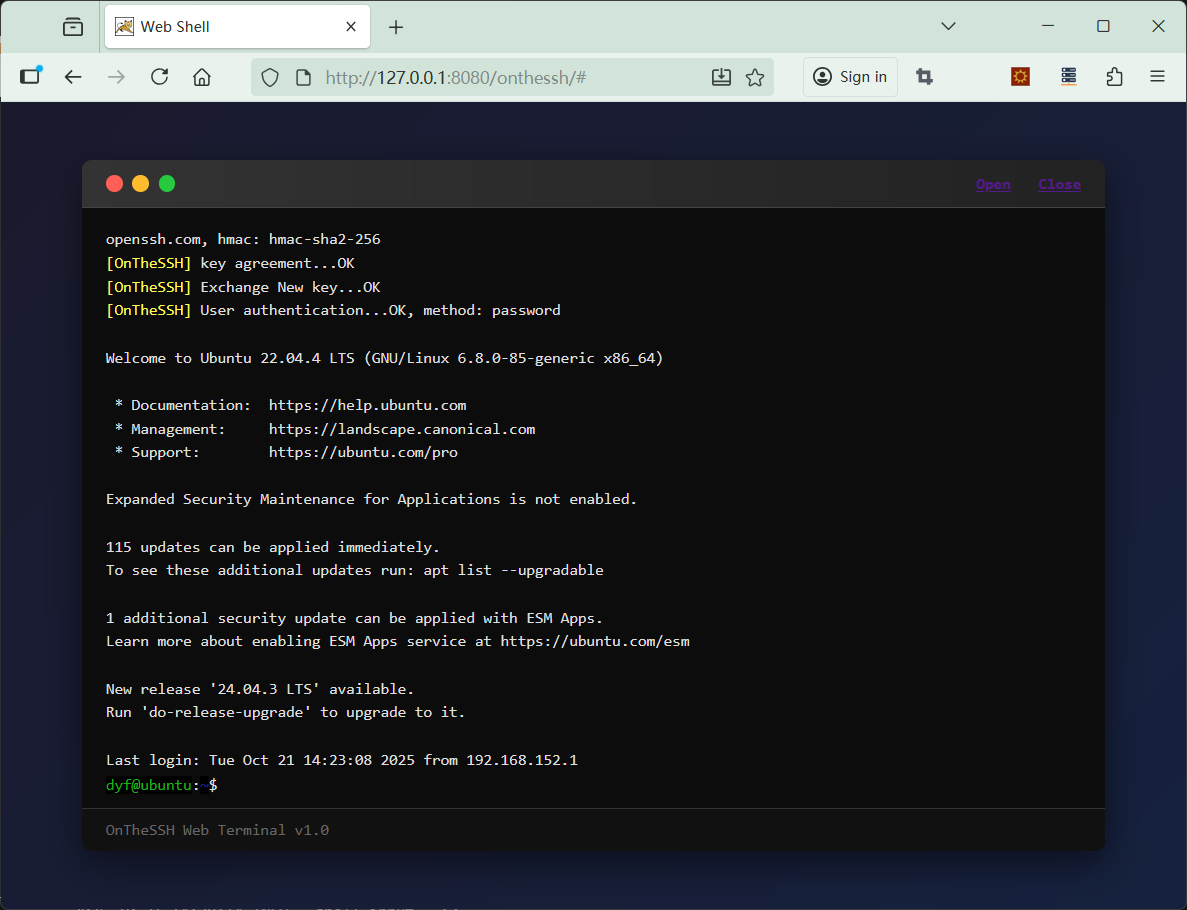
Shell terminal technology suitable for running on web pages

Simple and universal Web programming techniques can be used to embed shell terminal into web pages for operation.
A redesigned interaction method suitable for web pages
Converting the xterm control sequence to html at the core layer greatly reduces the complexity of Web programming
The highly refined and summarized Shell operation API interface is very suitable for the secondary development of shell terminals

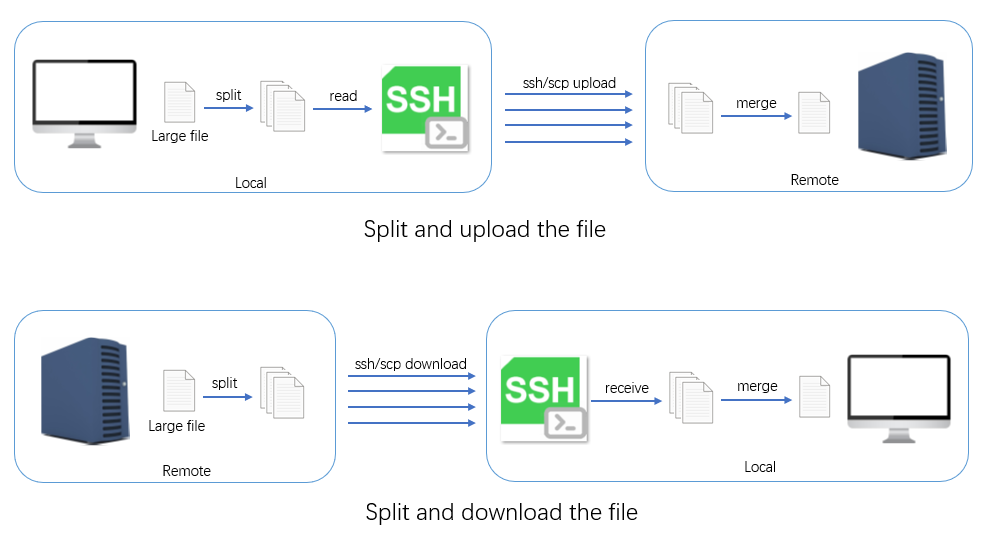
Split Transmission

Automatically split and transfer large files.

Split the file before transmission and merge them after transmission
The transmission process is monitored to ensure that any failed file block transmission will be automatically retried until all file blocks are successfully transmitted
It is suitable for transferring large files, especially those that exceed several gigabytes or even hundreds of gigabytes in size.

Port forwarding

Forward the local port to the remote host via the SSH tunnel.
Map a remote host port to the local host
Securely access internal services blocked by firewalls
Graphical operation, highly user-friendly, eliminating the cumbersome and error-prone nature of the command line

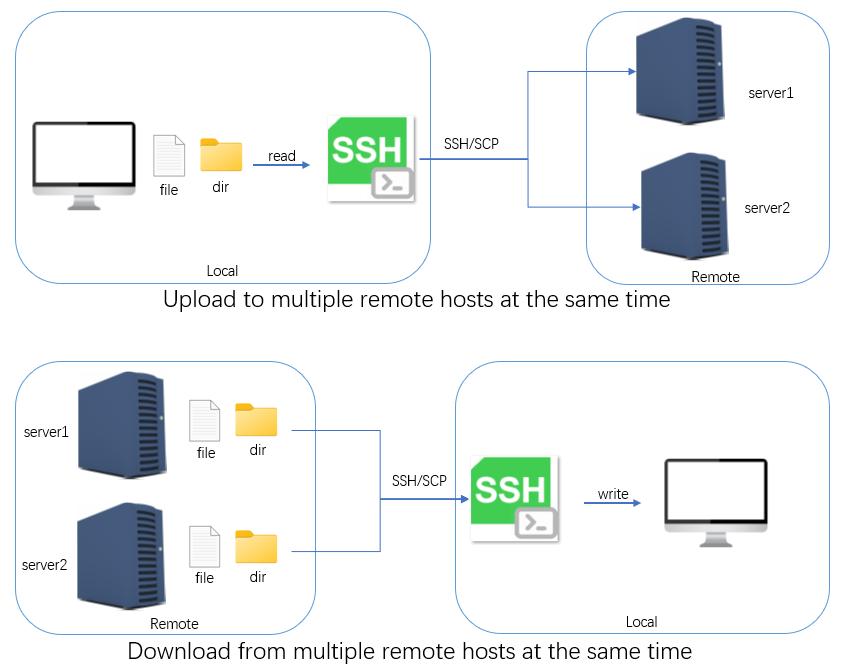
Multi Transmission

Simultaneously upload/download files to/from multiple remote hosts, suitable for the deployment and upgrade of load balancing cluster servers.
Upload files or directories to multiple remote hosts
Download files or directories from multiple remote hosts
Complete graphical operation

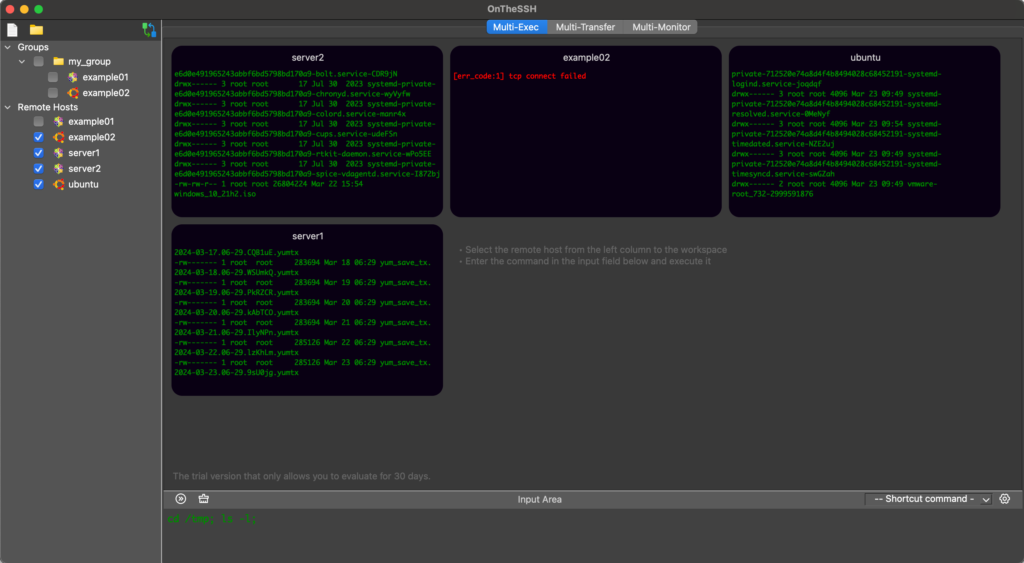
Multi Exec

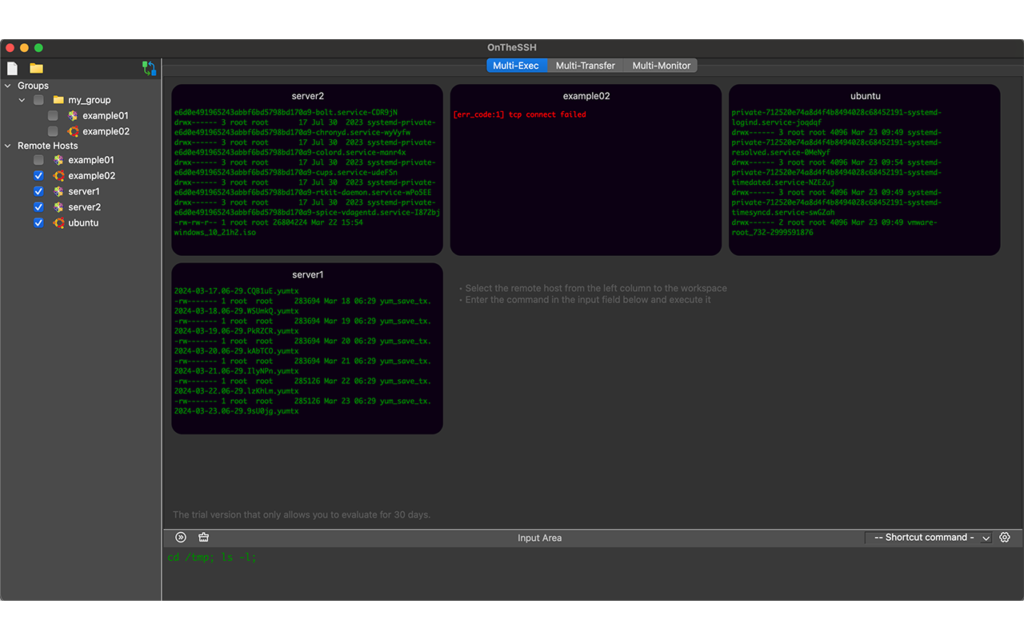
Send and execute commands to multiple remote hosts at the same time.
Automatically login to multiple remote hosts
Send commands to multiple remote hosts
Collect and display command results of multiple remote hosts

Monitor Chart

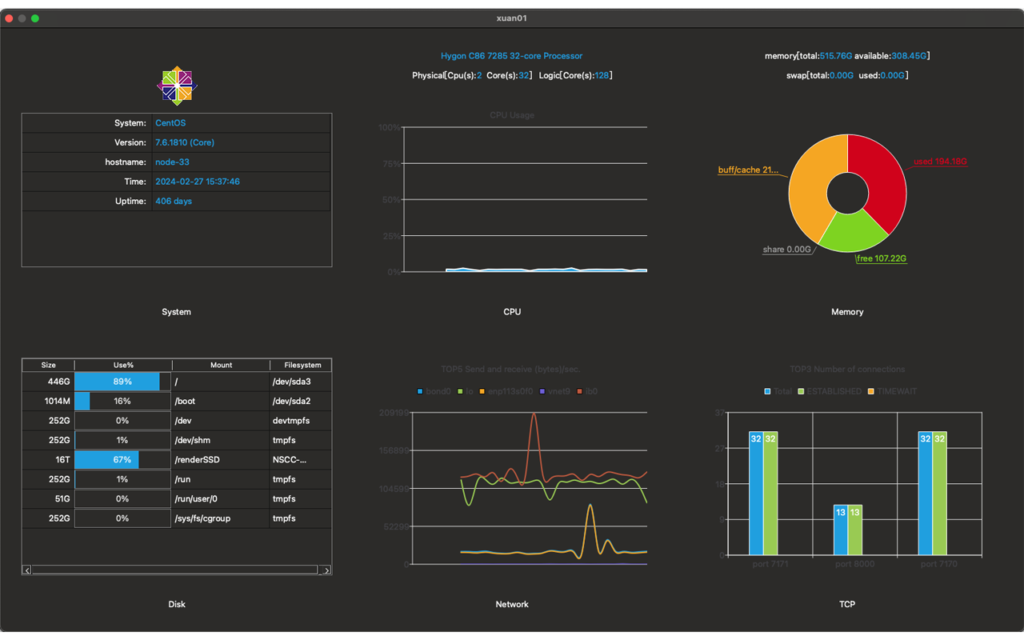
Linux system graphical monitoring.
CPU — type, cores, usage
Memory — size and usage
Disk — size and usage
Network — network packet sending and receiving monitoring
TCP Port — Monitoring the number of connections
Alarm — Alarms with settable thresholds

Window Manager

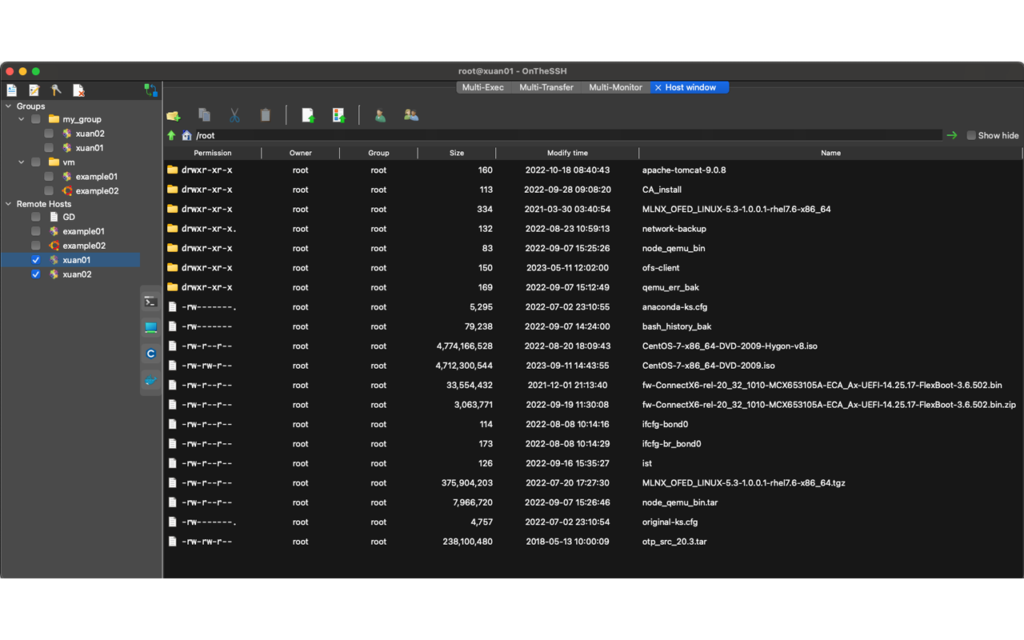
Graphical window to manage files, users, and user groups on remote hosts. It is also the entry point for file transfer and file split transfer.
File and directory browsing.
Change the name, permission, owner, and owner group of file or directory.
Copy/move file or directory.
User and user group management.
Upload/download, large file split upload/download

Process monitoring

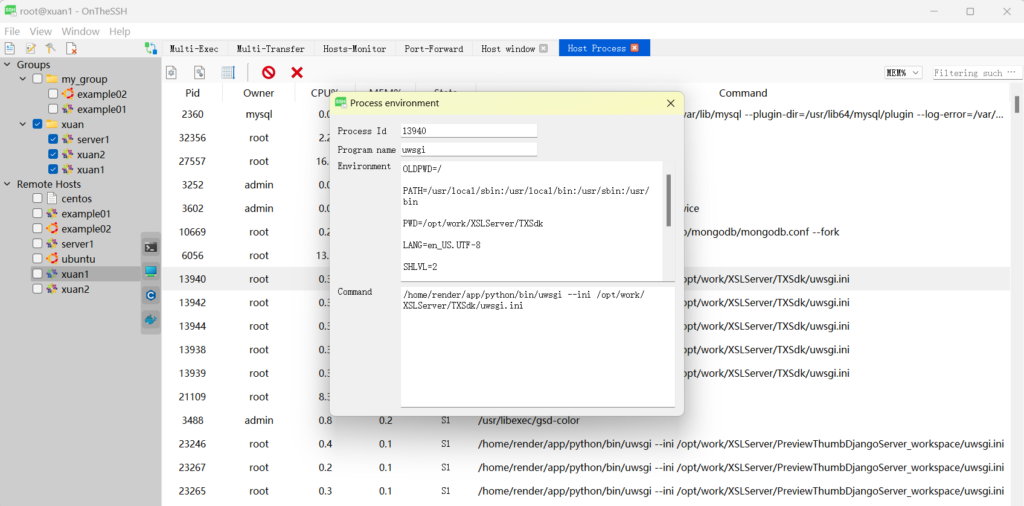
Linux processes graphical monitoring.
Environment — Display the process name, startup command line and environment variables
Status — Real-time status of a process at the system level
Memory — Real-time view of process memory usage, showing heap, stack, bss and other memory layouts

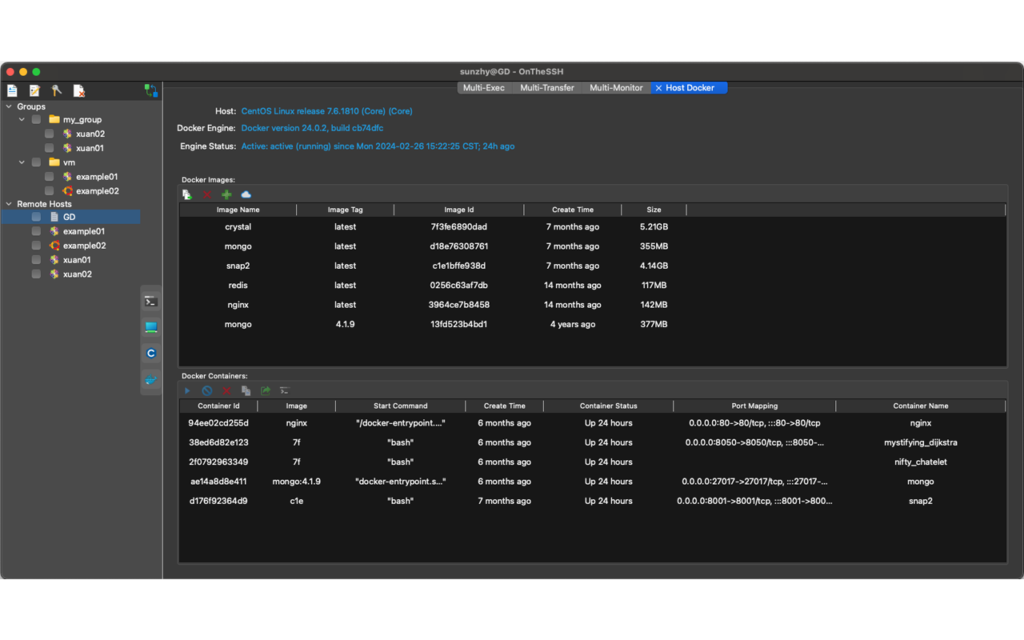
Docker Manager

Graphical window to manage docker.
Create and delete docker images, view the details of the images.
Create containers from images and create port mappings and path mappings.
Start and stop docker containers, monitor container performance, and the shell terminal directly enters the container.
Copy files between the container and the host.

Cross-platform, international

Based on the powerful cross-platform capabilities of Qt and Rust.

It runs on Windows, MacOS, and Linux
It offers both Chinese and English interfaces. By changing the language pack, more languages can be supported